Forward ports 443 and 22 to your Mac over IAP
Some services only work on their standard port. A web app that sends you back to its own host name after sign-in, or a git server whose clone URLs carry no port, breaks when the forward listens on 8443 or 2222. This guide explains why a Mac makes ports below 1024 harder, and how an Ostgate forward profile listens on 443 or 22 through a bastion VM.
Forwards below port 1024 need Ostgate 0.0.4 or later; see the release notes.
By Ostgate · Updated
Why the port number matters
A forward to a service behind a bastion VM usually listens on a high port, such as
127.0.0.1:8443. A database client works with that; a service that builds
URLs from its own name does not:
- A web app that signs you in through Google returns the browser to
https://, without your port, and the browser then goes to 443, where nothing listens.app. internal. example. com/ - A gateway that reads the port from the
Hostheader seesapp.and routes the request somewhere else, or nowhere.internal. example. com: 8443 - A git server hands out
git@, which always means port 22.git. internal. example. com: team/ repo. git
The internal load balancer
guide shows the workarounds for a high port, such as curl --connect-to.
A listener on the real port, under the service's own name, needs none of them.
Ports below 1024 on a Mac
On macOS an ordinary user may listen on a port below 1024 only on every network
interface at once. A listener on a single loopback address, such as
127.0.0.2:443, is refused unless it runs as root. Listening on every
interface would expose the forward to the network, so Ostgate does not do it.
Only 127.0.0.1 exists on a Mac's loopback interface out of the box, and
127.0.0.1:22 may already belong to Remote Login. By hand, the setup takes
three root steps, and each one stays until you undo it:
sudo ifconfig lo0 alias 127.0.0.2
sudo sh -c 'printf "127.0.0.2\tapp.internal.example.com\n" >> /etc/hosts'
and then the SSH forward itself, run with sudo so it may bind
127.0.0.2:443, which also runs your SSH client and its keys as root.
Ostgate does the same three things with a small root helper, and runs the forward
itself as your user.
Set up a forward on 443 or 22
- Open Connections › Forwards › New Forward Profile… and pick the bastion VM by project and instance. The VM must be able to reach the service.
- Add a forward: for a web app, the HTTPS / Load balancer target with the service's address as Remote host and 443 as Remote port. Type 443 in Local port; left empty, the forward takes a random high port.
- Give the forward a Host alias, the name you will type in the browser or the
clone URL, such as
app.. A port below 1024 cannot be saved without one.internal. example. com - Turn on Manage /etc/hosts aliases while running, then choose who may connect under Access (see below) and click Save.
- Start the profile. The first time, Ostgate asks to install its port helper.
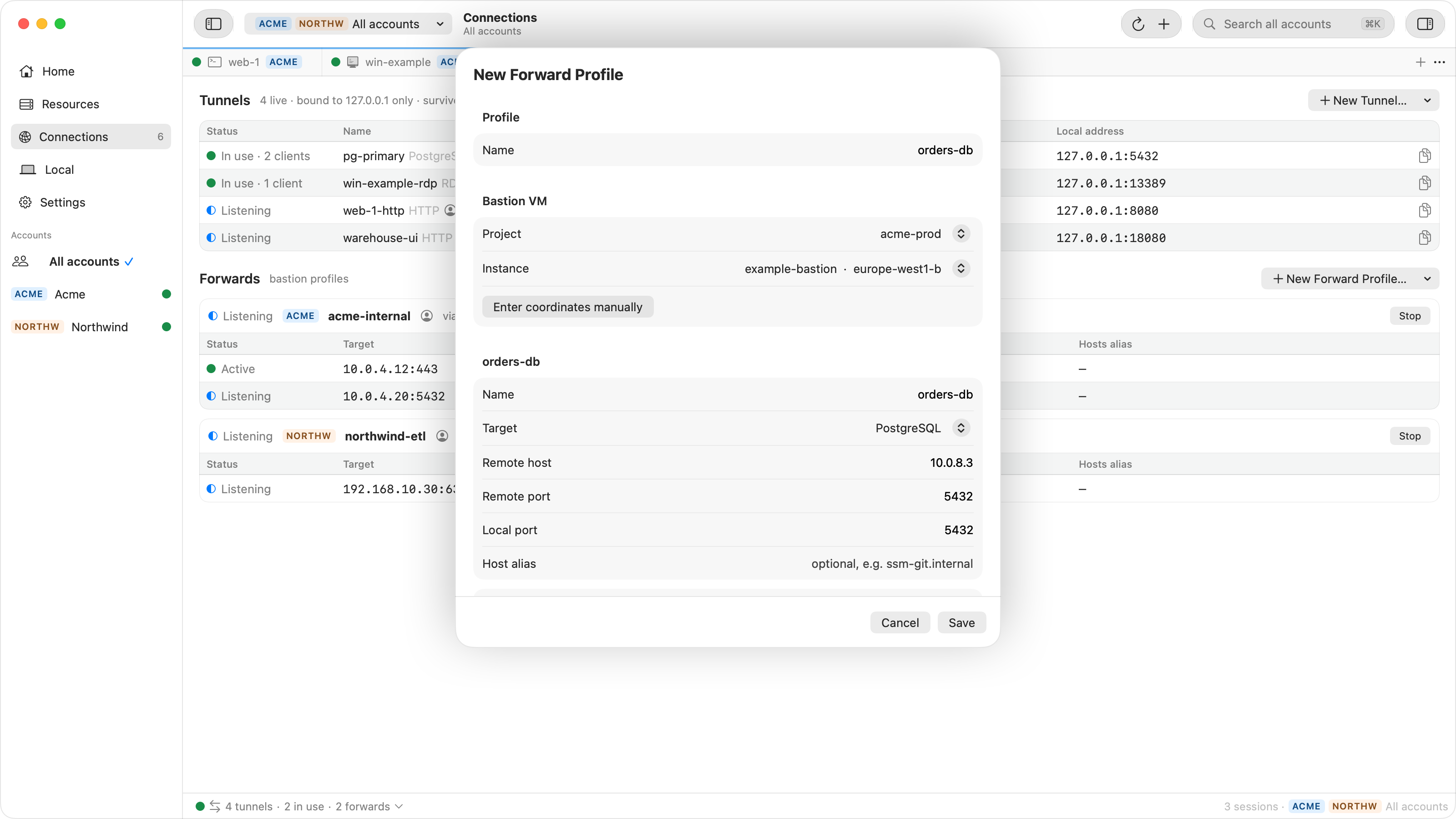
Each alias gets its own loopback address, the lowest free one between
127.0.0.2 and 127.0.0.254, and keeps it from one run to the
next. While the profile runs, /etc/hosts maps the alias to that address, and
the forward listens there, for example on 127.0.0.2:443. The row, the
Home view and Copy Address show that address. Two forwards can both use 443
under two different aliases, because each one listens on its own address.
Open https:// and the browser reaches the service
with the name and port it expects, so its certificate matches and its redirects land.
For git, clone from git@ as usual.
The port helper
The Ostgate port helper is a small program inside Ostgate.app that macOS runs as root in the background. These are the only things it does for Ostgate:
- adds an alias's address, such as
127.0.0.2, to the loopback interface; - binds the forward's port on that address and hands the listening socket to Ostgate. It keeps no copy, so every connection and every byte goes through Ostgate, under the forward's access setting;
- writes and removes Ostgate's own blocks in
/etc/hosts, leaving every other line as it was.
It refuses any address outside 127.0.0.2 to 127.0.0.254, any
port outside 1 to 1023, and an address that another macOS user's forward holds. It quits
60 seconds after Ostgate last spoke to it.
The first start of a forward below 1024 opens Ostgate's own panel, Ostgate needs its port helper, before macOS shows anything. It names the ports, for example “Port 443 needs a helper that runs as root.”, says what the helper does and that macOS asks next. Cancel installs nothing and leaves the profile stopped. Install and Open Login Items registers the helper and opens System Settings › General › Login Items & Extensions, where you allow Ostgate in the background once. Meanwhile the profile stays at Starting…; it starts a few seconds after you allow the helper. If five minutes pass without approval, it stops with “Ports below 1024 need the Ostgate port helper. Allow it in System Settings › General › Login Items & Extensions, then start again.” Stopping the profile while the panel is open closes the panel.
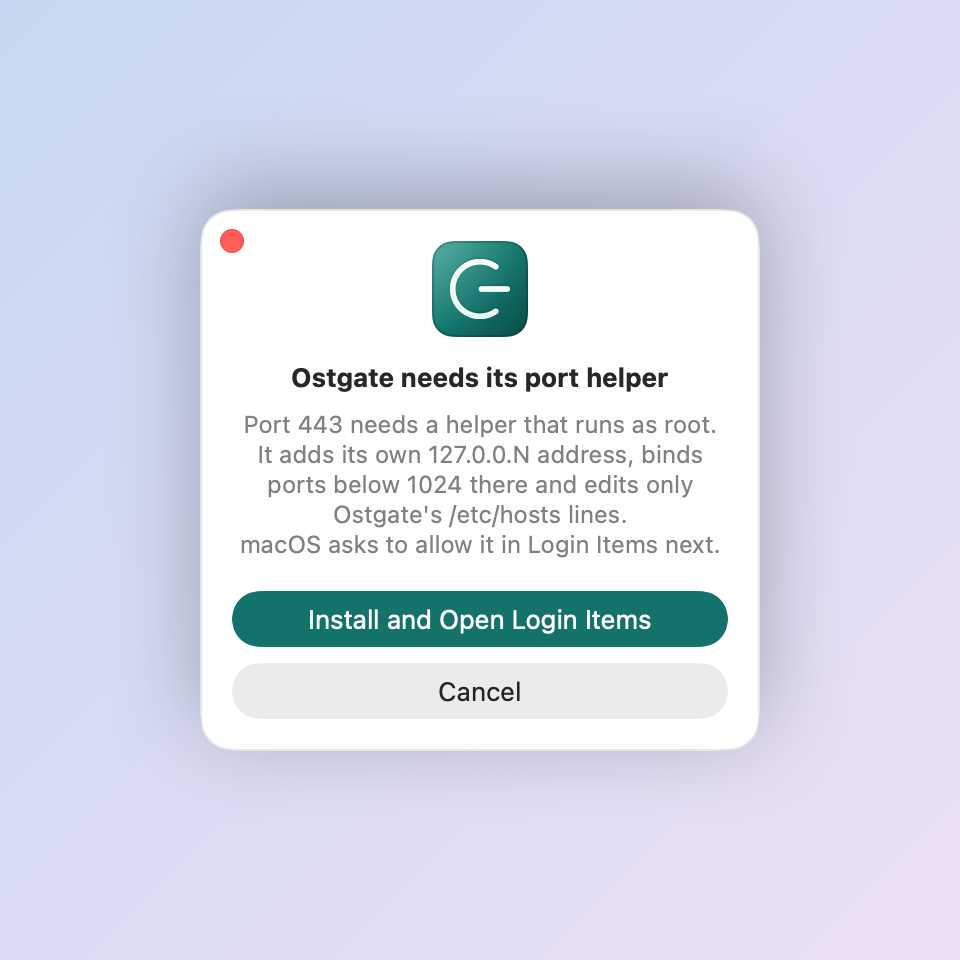
You can also install it beforehand with Install under Settings › Connections › Port helper. Status there reads Not installed, Waiting for approval in Login Items, or Installed; Open Login Items takes you to the pane where you allow it. See Settings.
When macOS still asks for a password
With the helper installed and your macOS user an administrator, starting and stopping forwards with host aliases asks for no password, on any port. Ostgate still asks macOS for an administrator password for:
- edits you make in Local › Hosts;
- aliases under names the helper never writes, such as
google.com,googleapis.com,run.app,apple.comorlocalhost; - every alias when your macOS user is not an administrator, or when the helper is not installed;
- stopping another program's process in Local › Local Ports (Authorize and Kill).
Before the macOS dialog, Ostgate shows its own panel, Ostgate needs an administrator password, with the reason, for example “Ostgate wants to update /etc/hosts: aliases for forward app-web.”, and the line “macOS asks for your password next.” macOS 27 no longer shows that reason in its own dialog, so the panel is where you see it. Cancel ends there and the macOS dialog never opens; Continue opens it.
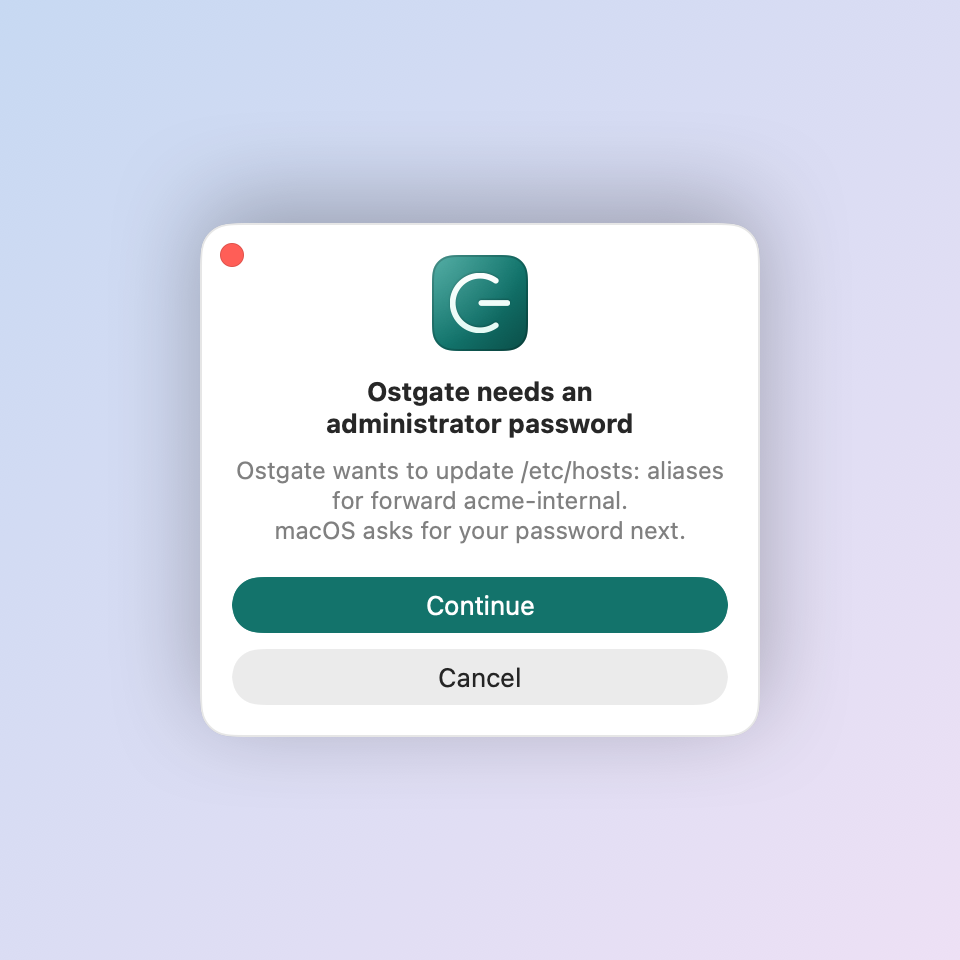
If you cancel or the write fails, the forward keeps listening, and its row reads, for example, “Hosts alias not written: cancelled” with Retry. Until an alias is written, its name does not lead to the forward.
Which programs may connect
A forward on 443 is still a loopback listener, and each connection is checked against the profile's Access setting before Ostgate carries it:
- Ostgate only: only Ostgate itself.
- My processes: any app running as your macOS user, such as your browser or
git. A browser or git client needs at least this level. - Any local process…: every program on the Mac, after you confirm it.
A program that is turned away shows on the row, for example “Refused curl — only Ostgate may connect”, with Change Access…. The tunnels and forwards docs describe the levels in full.
Cleanup and removing the helper
When a profile stops, its aliases leave /etc/hosts and its addresses
leave the loopback interface once no other running forward uses them. At Quit, Ostgate stops every forward and removes the rest
before it exits. After a crash, the entries stay until the next launch, which removes
them before any forward starts.
To take the helper off, stop every forward below 1024 and click Remove under
Settings › Connections › Port helper; the button is off while such a forward runs.
Do this before you move Ostgate to the Trash: a copy in the Trash cleans up nothing, so
its /etc/hosts entries would stay until you delete them by hand and its
loopback addresses until you restart the Mac.
When it does not start
| Ostgate says | What to do |
|---|---|
| Local port 443 is below 1024; give it a host alias. | Fill in the forward's Host alias. |
| Ports below 1024 need Manage /etc/hosts on. | Turn on Manage /etc/hosts aliases while running in the profile. |
| Ports below 1024 need a host alias; use New Forward. | A plain tunnel has no alias; use a forward profile through a bastion VM instead. |
| Ports below 1024 need the Ostgate port helper. Allow it in System Settings › General › Login Items & Extensions, then start again. | Allow Ostgate under Login Items & Extensions › Allow in the Background, then start the profile again. |
| Installed, but macOS does not start it | In System Settings › General › Login Items & Extensions › Allow in the Background, turn Ostgate off and on again. |
| Hosts alias not written: cancelled | Click Retry on the row and continue to the macOS dialog. |
| 127.0.0.2:443 is already in use by another program. | Another program listens on that address and port; find it in Local › Local Ports. |
| Host alias … already points to … for another forward. | Another forward uses the same alias; rename one of them. |
| The Ostgate port helper didn't answer. | Start the forward again. If it keeps failing, click Remove and then Install in Settings. |
Problems on the Google Cloud side, such as a missing IAP role or firewall rule for the bastion, are in the IAP firewall rule and IAM checklist.
Questions
Why does the forward need a host alias?
Ostgate never listens on a port below 1024 at 127.0.0.1 or on every interface. Each alias gets its own loopback address, and the alias in /etc/hosts is how your browser or git finds that address.
Can two forwards both use port 443?
Yes, under different host aliases. Each alias has its own address between 127.0.0.2 and 127.0.0.254, so each forward binds 443 on its own address.
Does traffic pass through the port helper?
No. The helper binds the socket and hands it to Ostgate, then closes its own copy. Ostgate accepts every connection and screens it by its access setting, as it does for any other forward.
Will port 22 clash with Remote Login on my Mac?
No. The forward listens on its alias's own address, such as 127.0.0.2:22, and runs alongside Remote Login's sshd whichever of the two starts first.
Why does an alias such as googleapis.com still ask for a password?
The port helper never writes an alias under Google, Cloud Run, IAP relay, Ostgate or Apple names, or under localhost and other names macOS reserves. A root process that silently pointed such a name at a loopback address could redirect sign-in, API or relay traffic for every user of the Mac. Ostgate writes that alias through the administrator prompt instead, after its own panel names the forward. The port itself is still bound through the helper. The full list is on the security page.
What happens to the addresses and aliases if Ostgate crashes?
They stay until Ostgate starts again, and it removes them at that launch. A stop or a quit removes them at once.
Use a service's own name and port from your Mac. Ostgate runs on Apple Silicon Macs with macOS 26.3 or later, with a 7-day trial and no sign-up. Forward profiles are described in the tunnels and forwards docs.