Guide
SSH to a Compute Engine VM without an external IP, from a Mac
A VM with no external (public) IP is the safer default on Google Cloud, and you can still reach it over SSH from macOS. Identity-Aware Proxy (IAP) carries the connection; you need one firewall rule, two IAM roles and a client. This guide covers three clients: gcloud, a bastion host, and Ostgate.
Updated
How IAP TCP forwarding works
IAP TCP forwarding is a Google-run relay. Your client opens a secure WebSocket to Google's
tunnel endpoint, tunnel.cloudproxy.app, and presents your Google account's
OAuth token. IAP checks that the account holds the IAP tunnel permission on the target
instance, then opens a TCP connection from its own address range,
35.235.240.0/20, to the VM's internal address on the port you asked for.
Bytes then flow both ways through that WebSocket.
Three things follow from this design:
- The VM never needs an external IP, and nothing on it listens to the internet.
- Your Mac only needs outbound HTTPS to Google. No VPN, no inbound port.
- Access is decided by IAM on your Google identity, not by who holds a key to a jump box. SSH authentication still happens on the VM, after the tunnel is open.
Prerequisites
These are one-time settings for whoever administers the project. The examples use the
project acme-prod, the zone europe-west1-b, the VM
example-vm and the account alice@example.com.
1. A firewall rule for the IAP range
The VPC network must admit TCP port 22 from 35.235.240.0/20. Without it IAP
authorizes you but cannot reach the VM. In the Cloud Console this is
VPC network › Firewall › Create firewall rule; from the command line:
gcloud compute firewall-rules create allow-iap-ssh \
    --project=acme-prod --network=default \
    --direction=INGRESS --action=allow \
    --rules=tcp:22 --source-ranges=35.235.240.0/20
The IAP firewall and IAM checklist covers RDP, custom ports and narrowing the rule with target tags.
2. The IAP tunnel role
Every connection needs roles/iap., shown in the console
as IAP-secured Tunnel User, on the project or on the instance:
gcloud projects add-iam-policy-binding acme-prod \
    --member=user:alice@example.com \
    --role=roles/iap.tunnelResourceAccessor
3. A way to log in: OS Login or metadata keys
The tunnel only carries bytes; the VM's sshd still needs your public key. Google Cloud
offers two ways to put it there, and the instance's enable-oslogin metadata
(or the project's, if the instance does not set it) decides which one applies.
| VM uses | Grant |
|---|---|
| OS Login | roles/compute.osLogin, or roles/compute.osAdminLogin
for sudo. Google also requires roles/iam.serviceAccountUser on the
VM's service account. |
| Metadata SSH keys | roles/compute.instanceAdmin.v1, so the client can write your key
into the instance's ssh-keys metadata. |
| Either, to list instances | roles/compute.viewer |
Option A: gcloud compute ssh --tunnel-through-iap
If you already use the Google Cloud CLI on your Mac, one command does it:
gcloud compute ssh example-vm \
    --project=acme-prod --zone=europe-west1-b \
    --tunnel-through-iap
gcloud creates a key in ~/.ssh/google_compute_engine if you have none,
publishes it through OS Login or instance metadata, and starts ssh through the
tunnel. When the VM has no external IP, current gcloud versions use IAP even without the
flag and print External IP address was not found; defaulting to using IAP
tunneling. Adding --troubleshoot runs gcloud's own connectivity checks.
For other programs, forward a local port instead and point them at it:
gcloud compute start-iap-tunnel example-vm 22 \
    --local-host-port=localhost:2222 \
    --project=acme-prod --zone=europe-west1-b
This works well, but it needs the Cloud SDK installed and kept current on every Mac, a
terminal left open per tunnel, and gcloud config juggling when you work
across several Google accounts.
Option B: a bastion host
The older pattern is a small VM with an external IP in the same network. You SSH to it,
then hop to the private VM (ssh -J). It works from any SSH client, but it
costs more than it saves:
- The bastion is exactly the public SSH endpoint you were trying to avoid, and it needs patching, monitoring and hardening like any internet-facing server.
- Access is managed in two places: keys or accounts on the bastion, and the private VMs behind it. Removing someone means cleaning both.
- It runs, and bills, around the clock, and it is a single point of failure.
- Firewall rules must admit your office or home IP, which changes whenever you travel.
IAP replaces all of that with IAM and a Google-run relay, which is why it is the usual answer today. A bastion still makes sense where IAP is unavailable to you, for example when an organisation blocks the tunnel endpoint.
Option C: Ostgate
Ostgate is a native macOS app that speaks the IAP tunnel protocol itself. It does not need gcloud or Python; you install one app and sign in.
- Sign in. Click Sign in with Google. Your own browser shows Google's consent screen, and the refresh token is stored in the macOS Keychain.
- Pick the VM. Pin
acme-prodin Resources, or press ⌘K and typeexample-vm. - SSH. Double-click the VM, or choose Connect. A terminal tab opens through IAP.
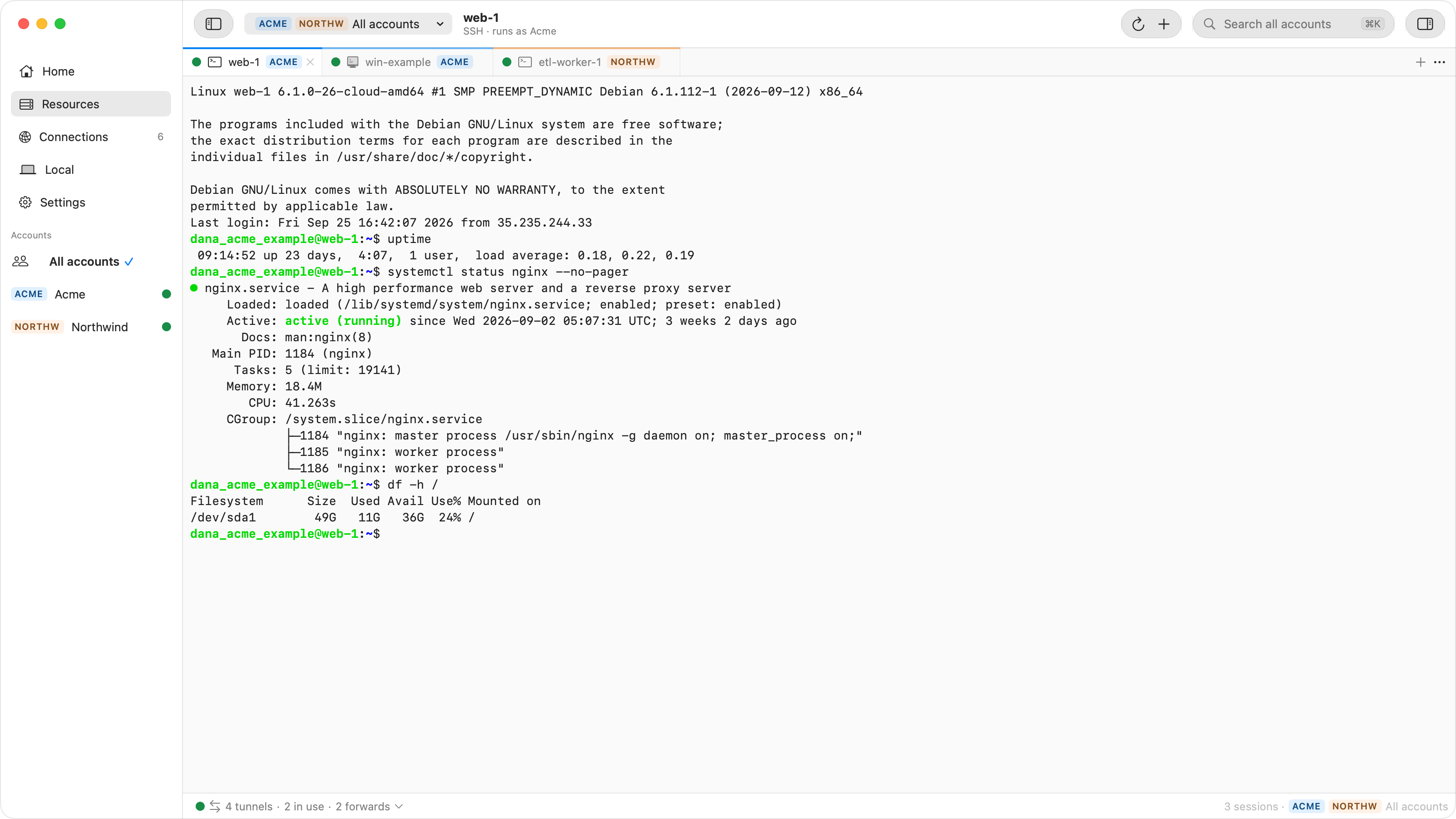
On the first connection Ostgate creates your SSH key on the Mac, in the Secure Enclave where available, so the private key cannot be copied off the machine. It then publishes the public key for you, the same way gcloud decides: through OS Login when the instance or project enables it, otherwise into the instance's own metadata. OS Login keys are added with a one-hour expiry and metadata keys with one day, and are renewed as you connect, so stale keys do not pile up on your VMs.
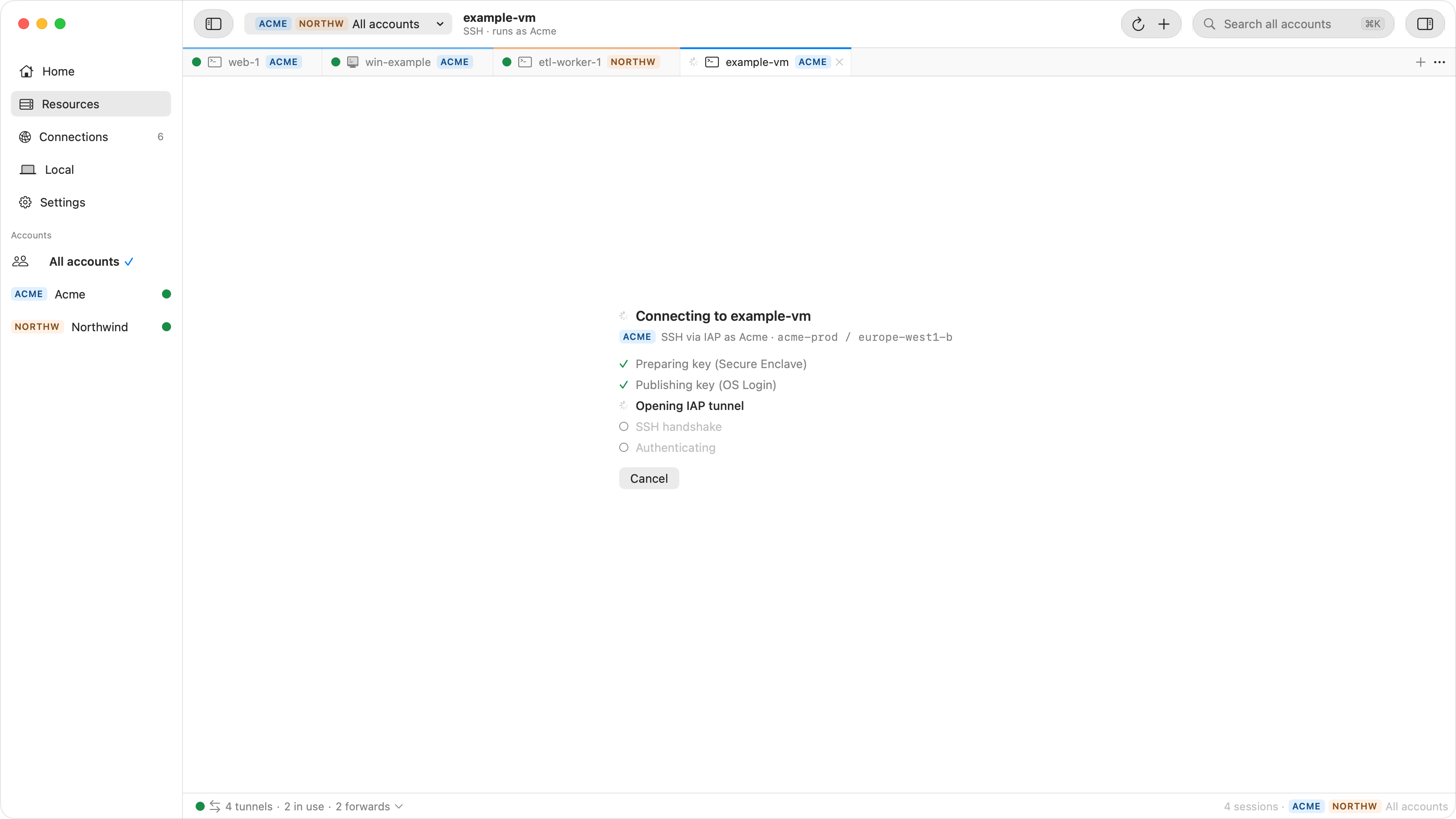
Several Google accounts can be signed in side by side, each with its own key and tunnels.
Browse Files opens an SFTP browser on the same VM, and New Tunnel… forwards
any other port to 127.0.0.1.
Keep using ssh from Terminal
In Settings › SSH Integration, click Install. Ostgate adds one managed block to
~/.ssh/config, and then this works from Terminal, IDEs, scp and
scripts, with the Ostgate window closed:
ssh example-vm.europe-west1-b.acme-prod.gcp
Here Ostgate only carries the connection through IAP. ssh signs in with your own
keys from ~/.ssh and checks your own known_hosts, so your public key
must already be accepted by the VM through OS Login or metadata. The full setup is in the
docs.
Troubleshooting
Most failures are one of three prerequisites:
- Refused before connecting: the account lacks
roles/iap..tunnelResourceAccessor - Authorized, then no connection: the firewall rule for
35.235.240.0/20is missing, sshd is not listening, or the VM is still booting. - Tunnel works, SSH login fails: the key was not accepted. Check the OS Login role or, without OS Login, the right to write instance metadata.
In Ostgate, click Diagnose on the failed tab: Connection Doctor shows which of these checks failed and a command to fix it. The IAP tunnel errors guide goes through the individual messages.
FAQ
Does the VM need an external IP address for IAP SSH?
No. IAP connects to the VM's internal address from 35.235.240.0/20, so the VM
can have no external IP at all. It only needs a firewall rule that admits that range on
port 22.
Do I need gcloud installed to use Ostgate?
No. Ostgate signs in with your Google account in the browser and talks to Google's APIs and the IAP tunnel endpoint itself. gcloud is only the manual alternative in this guide.
Which IAM role lets me open an IAP tunnel?
roles/iap. (IAP-secured Tunnel User) on the project or
instance. SSH also needs an OS Login role or, without OS Login, permission to write
instance metadata.
Can I keep using ssh and scp from Terminal?
Yes. With the SSH Integration installed, ssh INSTANCE.ZONE.PROJECT.gcp works
from Terminal, IDEs and scp, with your own keys from
~/.ssh.
SSH to private VMs from your Mac, without gcloud or a bastion. Ostgate is a native app for Apple Silicon Macs, with a 7-day free trial and no sign-up.